
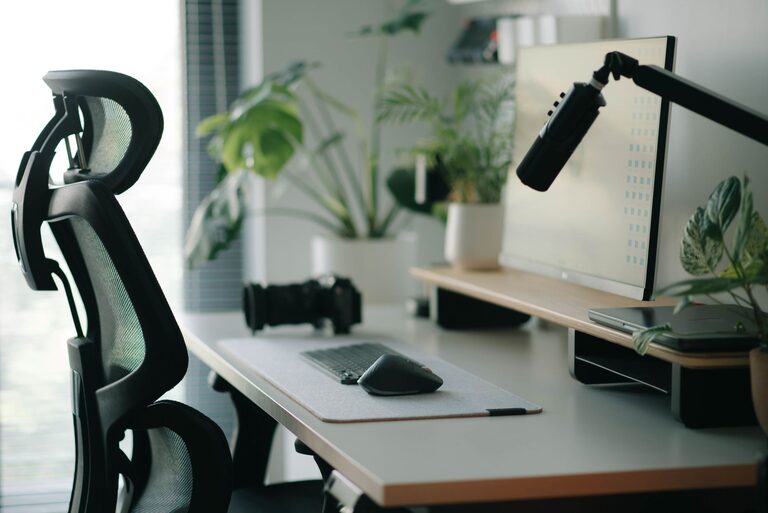
Creating an ideal desk setup can make a significant difference in your ability to focus and stay comfortable throughout the workday. Whether you work from home or in an office, a well-thought-out workspace can help reduce distractions, minimize physical strain, and boost productivity. Here are some practical tips on organizing your desk setup for both comfort and focus.
Choose the Right Desk and Chair
Desk Height and Size
Your desk should be at a height that allows your elbows to rest at about a 90-degree angle when typing or writing. A standard desk height ranges from 28 to 30 inches, but adjustable desks are great for customizing the setup to your needs. Ensure the desk is spacious enough to hold your computer, accessories, and any paperwork without feeling cramped.
Ergonomic Chair
Invest in a chair that supports your lower back and encourages good posture. Look for adjustable features such as seat height, backrest tilt, and armrests. A comfortable chair reduces the risk of back pain and helps you maintain focus for longer periods.
Position Your Monitor Correctly
Monitor Height and Distance
Place your monitor so the top of the screen is at or just below eye level. This positioning prevents neck strain by encouraging a natural gaze downward. The monitor should be about an arm’s length away to reduce eye strain.
Dual Monitors
If your work involves multiple applications or documents, consider using dual monitors. Arrange them side by side with minimal gaps, and position your primary monitor directly in front of you.
Optimize Lighting
Natural Light
Whenever possible, position your desk near a window to take advantage of natural light. Natural light improves mood and alertness. However, avoid direct glare on your screen by using blinds or adjusting the angle of your desk.
Task Lighting
Use a desk lamp with adjustable brightness and positioning to illuminate your workspace without causing reflections on your screen. Warm light tones are usually more comfortable for long periods.
Organize Your Desk for Efficiency
Declutter
Keep only essential items on your desk to reduce visual distractions. Use drawers, shelves, or storage boxes to keep paperwork and supplies organized and out of sight.
Frequently Used Items
Place items you use often—like pens, notebooks, or your phone—within easy reach to minimize interruptions to your workflow.
Cable Management
Tidy your cables with clips, sleeves, or under-desk trays to keep your workspace neat and prevent tripping hazards.
Add Comfort with Accessories
Keyboard and Mouse Placement
Place your keyboard and mouse close enough so your arms remain relaxed. Use a wrist rest to support your wrists and prevent strain.
Footrest
If your feet don’t comfortably reach the floor, consider a footrest to maintain good posture and improve circulation.
Personal Touches
Add a few personal items like plants or photos to make your workspace inviting, but avoid overcrowding your desk.
Take Breaks and Move
Even with the best desk setup, staying in one position for too long can cause discomfort. Follow the 20-20-20 rule: every 20 minutes, look at something 20 feet away for 20 seconds to reduce eye strain. Stand and stretch regularly to keep your body active.
Final Thoughts
A thoughtfully arranged desk setup is key to maintaining focus and comfort during your workday. By paying attention to ergonomics, lighting, organization, and personal comfort, you create an environment conducive to productivity and well-being. Start with small changes and adjust as you go to find what works best for you. With these tips, your workspace can become a place where concentration and comfort come together effortlessly.
